Staff & Operations Guides
Run a team and scale across locations — staff roles, permissions and approval gates, and multi-branch management.
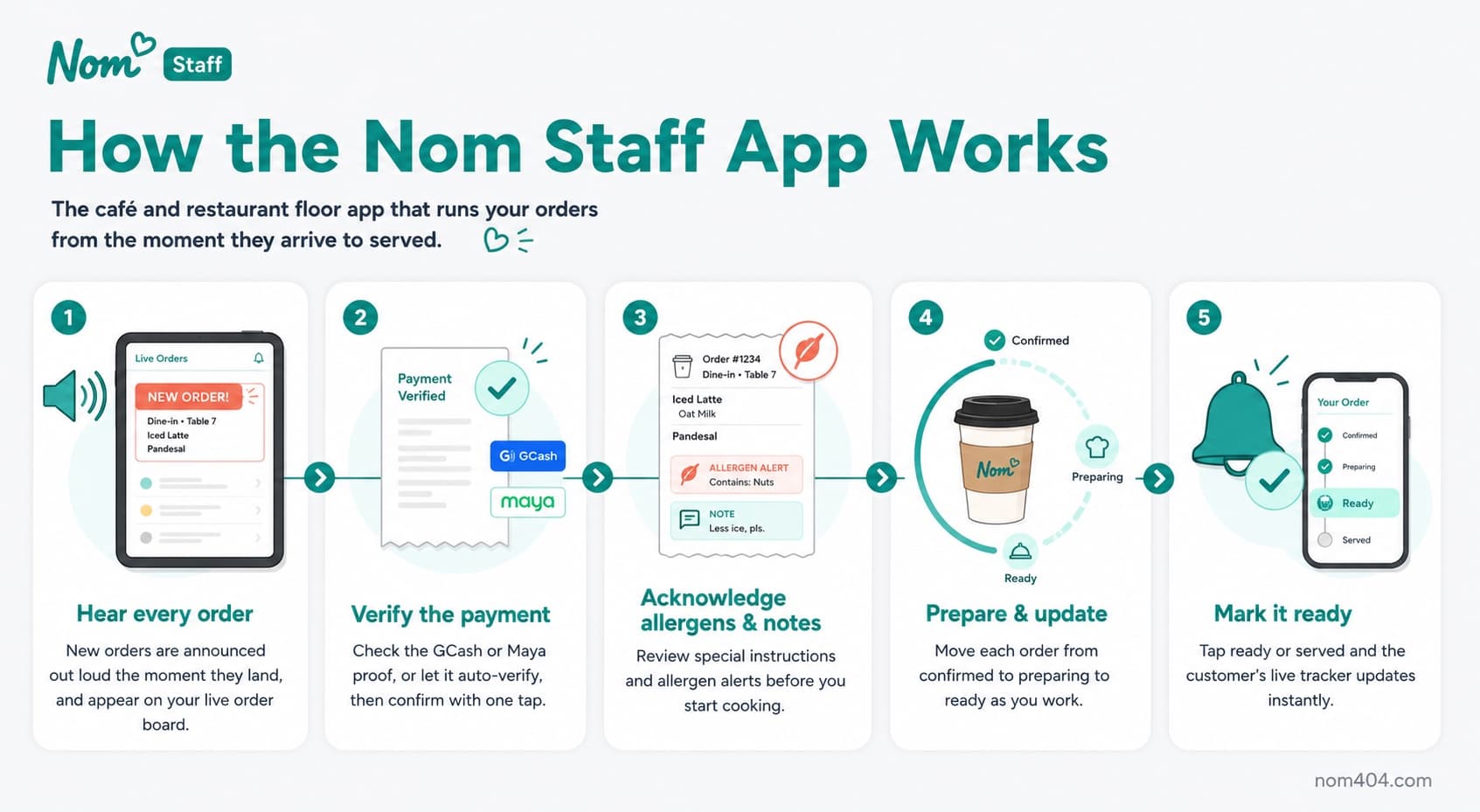
Staff management
Invite staff by email, assign roles, and manage the team from the dashboard or the tablet Staff app for faster order management in the kitchen.
Permissions & approvals
Use the 16-area, 5-level permission matrix with seeded presets to control exactly what each role can do, and set approval gates that require sign-off before sensitive actions go through.
Shared-tablet staff switcher (Enterprise)
Sharing one counter tablet across a shift? As the owner, set a short switch PIN for each staff member from the Team section. On the tablet, whoever takes over taps to switch accounts and enters their PIN — no signing out and back in during a rush. Every order is credited to the person who actually placed it, so your records and per-staff sales numbers stay accurate.
Multi-branch (Enterprise)
Manage multiple locations from one dashboard with shared menu templates, per-branch pricing and availability overrides, unified loyalty, group promos, regions and area managers, and an HQ Control Center.
Running multiple locations? See Enterprise for the full multi-branch toolkit.