Business Guides
Everything you need to run your food business on Nom — from your first order to multi-location growth. Start with setup, then layer on the operational and compliance tools as you grow.
Get set up
Register your business, complete the three-step setup wizard, add your first menu item, enable payment methods, and generate your QR code. Your account is active the moment you register — no waiting for approval.
Run daily operations
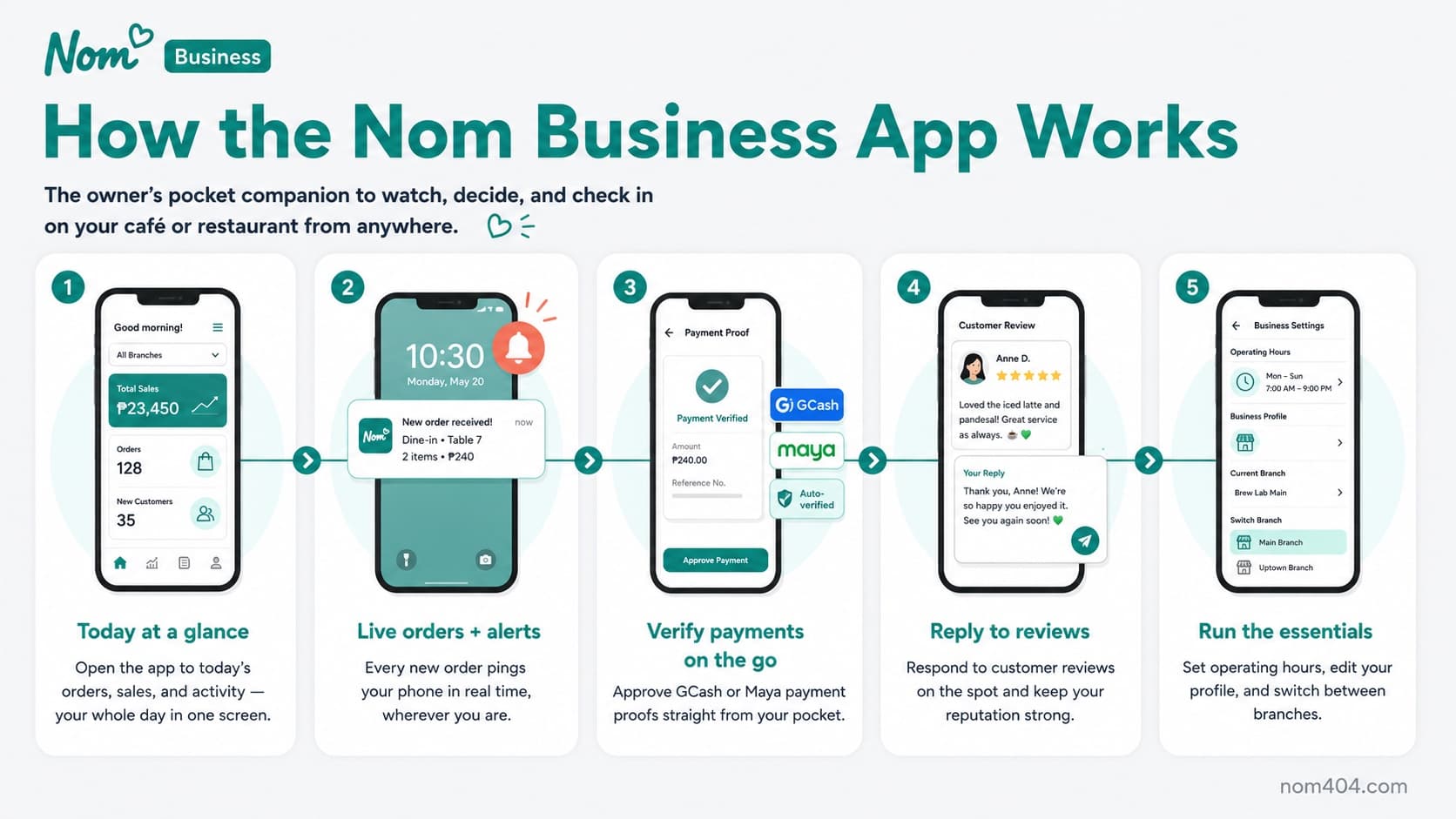
Confirm orders, verify payments, review modifications, and move tickets from preparing to ready to complete. Use the kitchen display and the owner iOS app to keep the floor moving.
Money & compliance
Turn on BIR Invoice mode for official receipts and automatic Senior Citizen and PWD discount logging, and track operating expenses with a ledger you can export to CSV for your accountant.
Controls & approvals
Add a co-owner by email invite, and require owner sign-off before staff can void or cancel an order — with an iPhone approval or a 6-digit offline PIN fallback.
Grow with loyalty & promos
Create promo codes, run a loyalty points program, and turn first-time customers into regulars without paying any commission.
Open or close your storefront on demand
Take orders outside your posted hours for a pop-up or special event, or close early when you need to, all from your dashboard or right on the floor. A quick close pauses new orders while keeping your page live, and customers always see an accurate open or closed status.
Dine-in table tabs & open tabs for regulars
Let a table open one shared tab, order round after round, and settle together at the end, while you see every open table at a glance. For trusted regulars, run a cash open tab that keeps a running balance across visits and records the payment when it is settled, so a house account never gets lost on a notepad. Open tabs are available on Pro and up.
Menus that change through the day
Schedule whole menu categories to appear and hide by time of day — a breakfast list in the morning, happy hour in the afternoon, a dinner menu in the evening — so customers only ever see what your kitchen is serving right now, with nobody toggling categories on and off by hand.
Help customers find and reach you
Drop a precise map pin for your venue and follow the built-in Google Business Profile helper to claim and tidy your listing, so customers get a one-tap Get Directions button that opens your café in their maps app. On shared counter tablets, staff can also switch accounts with a quick PIN and, if you turn it on, clock in and out automatically as they take over the tablet.
New to Nom? Start with the Setup guides to build your menu and QR ordering first.