Customer Guides
Ordering on Nom takes seconds. These guides walk through scanning, customizing, paying, tracking, and staying safe with allergen preferences.
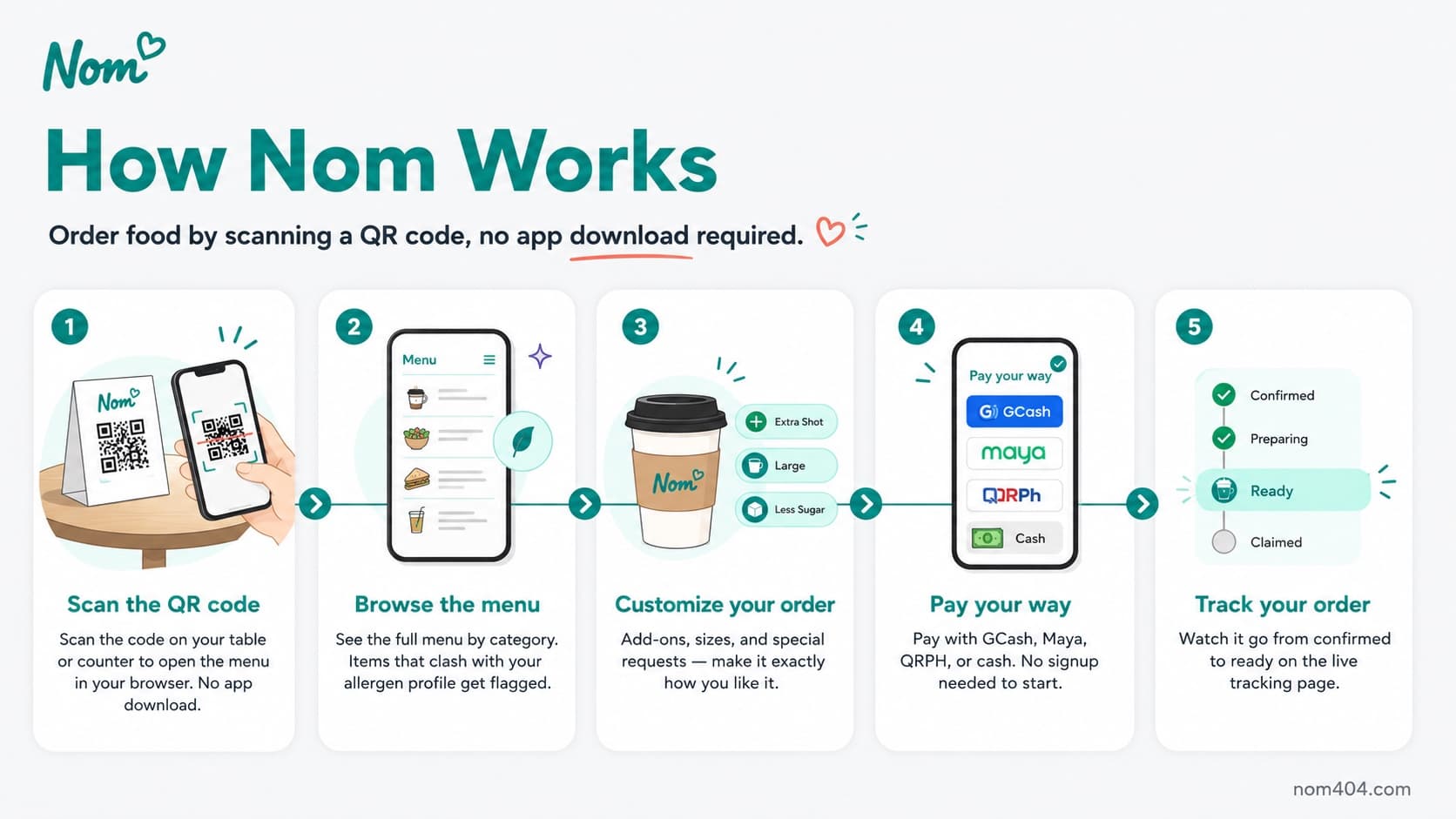
How to order
Scan a QR code, browse the menu, customize your items, and pay with GCash, Maya, or cash — no signup required to start.
Dine-in table tabs
At sit-down spots, scan the table QR to open a shared tab or join the one already running at your table. Keep ordering round after round through your meal, watch the running total, and settle the whole tab together at the end instead of paying every round.
Find a shop or a dish
Search by cafe name or by a craving. Type matcha or pandesal and see the cafes that serve it. Cafes and dishes show up together, each cafe tagged with its category, and an empty search suggests your recent searches and popular places instead of a dead end.
Track your order
Follow your order from confirmed to ready on the live tracking page in your browser, no download needed. Get the Nom app for live tracking with push notifications, so you know the moment it's ready without checking back.
Customize & modify
Remove ingredients, substitute items, pick sizes and add-ons, and leave special instructions the kitchen will see and acknowledge.
Allergen safety & preferences
Set your allergen profile once. Items that conflict with your profile are flagged at the top of the menu, and checkout double-checks before you pay. Big 9 allergens plus vegetarian and vegan are supported.
Table numbers
Enter your table number at checkout for table delivery so staff bring your order straight to you.
Your rewards, by store
The Nom app Rewards page shows how many points you have at every cafe you have visited, each in that store's own wording, with a heads-up before any points expire. It never shows one confusing combined total.
Reviews & ratings
Rate items, leave reviews, edit them later, and see how the business responds.
Want the full experience? Get the Nom app for push notifications, saved favorites, and loyalty.