Take more orders with less counter chaos.
Nom helps your team manage QR orders, payments, menus, and customer preferences in one simple system. No hardware to buy, no commission on a single order.
No commission. No required hardware. Easy cancellation on monthly plans.
The real problem
Small delays become lost sales.
It's the lunch rush. The line is fifteen people deep, your cashier is scribbling orders on paper, and another customer just walked out. Nom removes the manual steps that slow your team down during service.
Long lines during rush
Customers wait too long, staff get overwhelmed, and orders slow down. Some people walk out before they reach the counter.
Manual payment checks
Your team wastes time squinting at GCash and Maya screenshots and confirming reference numbers by hand.
Sold-out confusion
Customers order items that ran out an hour ago, then you have to refund, apologise, and remake.
No clear view
You know sales happened, but not which items sold, when the peak was, or what to change tomorrow.
Who it helps
Built for the way food teams actually work.
Core features
Everything your team needs to move faster.
QR ordering
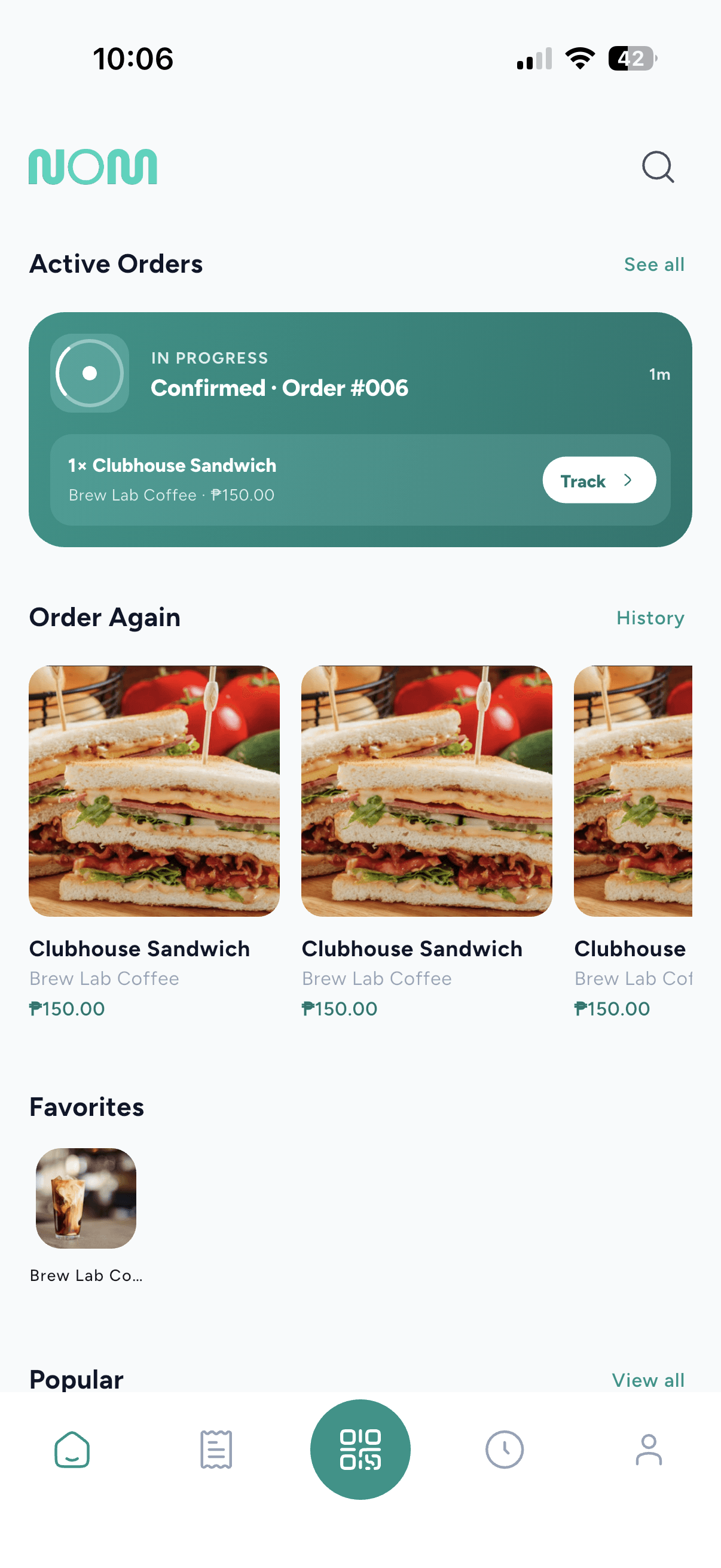
Let customers order from tables, counters, packaging, or social links. They scan, browse your menu, customise, and pay from their own phone, with no line and no wrong orders.
Payment tracking
See GCash, Maya, and cash order status in one place. Payment proof and reference-number verification is built in, and duplicate references are flagged automatically. Online cash orders carry a pickup code so the cashier matches the right customer and the change is calculated for them.
Order queue
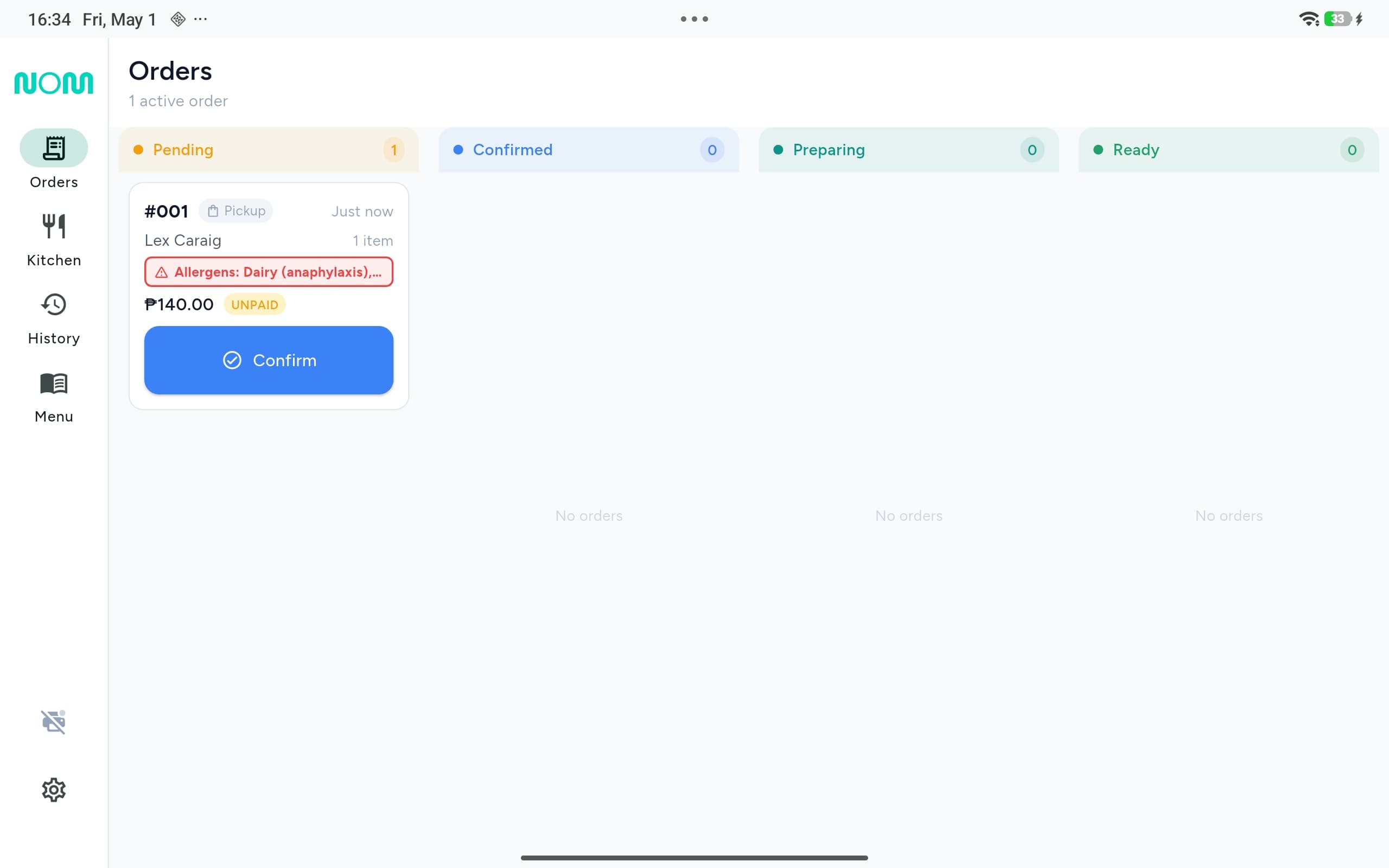
Know what is new, preparing, ready, or completed. Accept, prepare, and mark orders ready in real time from your laptop, tablet, or iPhone.
Menu control
Update prices, add-ons, photos, and sold-out items anytime. Categories, sizes, and customizations with drag-and-drop reordering, and one tap to toggle sold-out.
Product preview
See it the way your floor will.
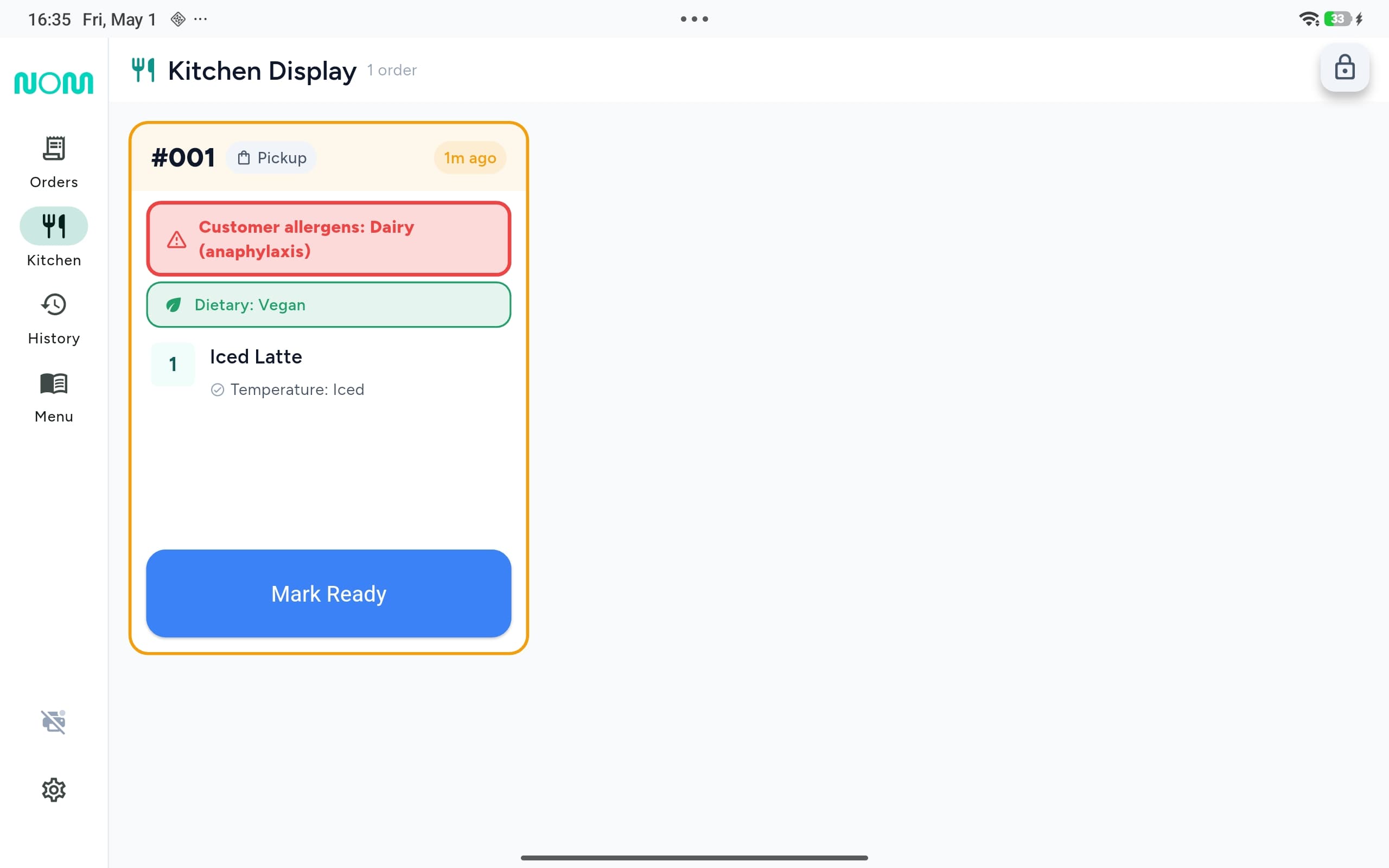
Lead with the merchant dashboard for the manager at the till, then the kitchen view for the team on the line. Every order moves through one shared queue, so nothing slips between the counter and the pass.
Setup
Set up once. Use it the same day.
Add your menu, share your QR, and start managing order flow without a heavy rollout. No hardware to buy, no app to build, no developer to hire.
Set up your business
Add your store, hours, menu, and payment options. Sign up and you are configured in about ten minutes.
Share your QR
We generate a unique QR code for your business. Place it on tables, counters, packaging, or social posts.
Manage orders
Customers scan, order, and pay. Track order progress, payment status, and menu availability from your dashboard.
Why it pays off
Protect time, orders, and margin.
The value is simple: fewer missed orders, less manual checking, faster service, and more direct customer relationships. A café doing 100 orders a day recovers far more than the price of a plan.
More control
Own your order flow and your customer relationships instead of relying only on third-party channels that take 25-35% per order.
Less waiting
Reduce the steps between a customer placing an order and your staff acting on it. Fewer remakes, fewer walkaways.
Better decisions
Use real order data, daily sales, top items, and peak hours to improve menus, promos, and staffing.
Room to grow
Add staff, branches, custom roles, and approval controls as operations get bigger, all from one dashboard.
Businesses already using Nom
Trusted by local food businesses.
Sueno Coffee
Makati City
Specialty coffee shop using Nom for dine-in QR ordering with GCash and Maya payments.
Boss Yang Cafe
Pulilan, Bulacan
Cafe and snacks using Nom for counter ordering with cash payments.
“Setting up took 10 minutes. My customers just scan and order.”
FAQ
Clear answers.
No. Nom does not take a commission from any order. You pay a flat monthly plan, and every peso your customers spend, including tips, goes to you.
No. You can start without buying any new POS hardware. Nom doesn't replace your POS; it adds a customer-facing ordering layer. Your POS handles what it handles; Nom handles the ordering and payment proof.
No. The Nom app gives the best experience, including push notifications, order history, favorites, loyalty points, and reviews. But guests without the app can also order from the browser at nom404.com. No signup required either way.
Yes. The Free plan is completely free, up to 10 customers per day, forever. No credit card required. Upgrade only when you grow.
Duplicate reference numbers are automatically flagged, repeat offenders get blocked, and you get notified instantly so a fake screenshot never quietly becomes a free order.
You tag each item with its allergens (FDA Big 9) and dietary labels. Customers with allergen profiles see warnings automatically, your kitchen sees a red allergen banner on every relevant order, and your team must acknowledge special instructions before starting preparation.
Yes. Multi-branch is on Enterprise (P14,999/mo per 5-branch block, stackable to 180+ branches). You get shared menus with per-location pricing, unified loyalty, group promo codes, one-click staff transfer, custom roles and permissions, an HQ Control Center, approval workflows, and an audit trail. Lower tiers, including Pro, are single-location.
You configure fulfillment options: pickup, table delivery, or both. Customers choose at checkout, and you can pause all incoming orders with one toggle during rush hour.
You can open or close your storefront for orders on demand, from your dashboard or right on the floor. Take orders outside your posted hours for a pop-up or special event, or close early when you need to; a quick close pauses new orders while keeping your page live. Customers always see an accurate open or closed status.
Clean up your order flow.
Start free with one branch. Book a demo for bigger teams, chains, or an Enterprise setup. Sign up, add your menu, print your QR code, and start receiving orders, all in about ten minutes.
No commission. No required hardware. Easy cancellation on monthly plans.