QR Code Ordering for Cafes: Faster Service, Less Labor
Picture a Saturday rush at your cafe. The line is at the door, your barista is also taking orders, and someone is shouting modifications over the espresso machine. Orders get missed. Drinks come out wrong. Customers wait, get cranky, and some just leave. Now picture the same rush where every customer at every table has already ordered and paid from their own phone — and your team only has to make the drinks.
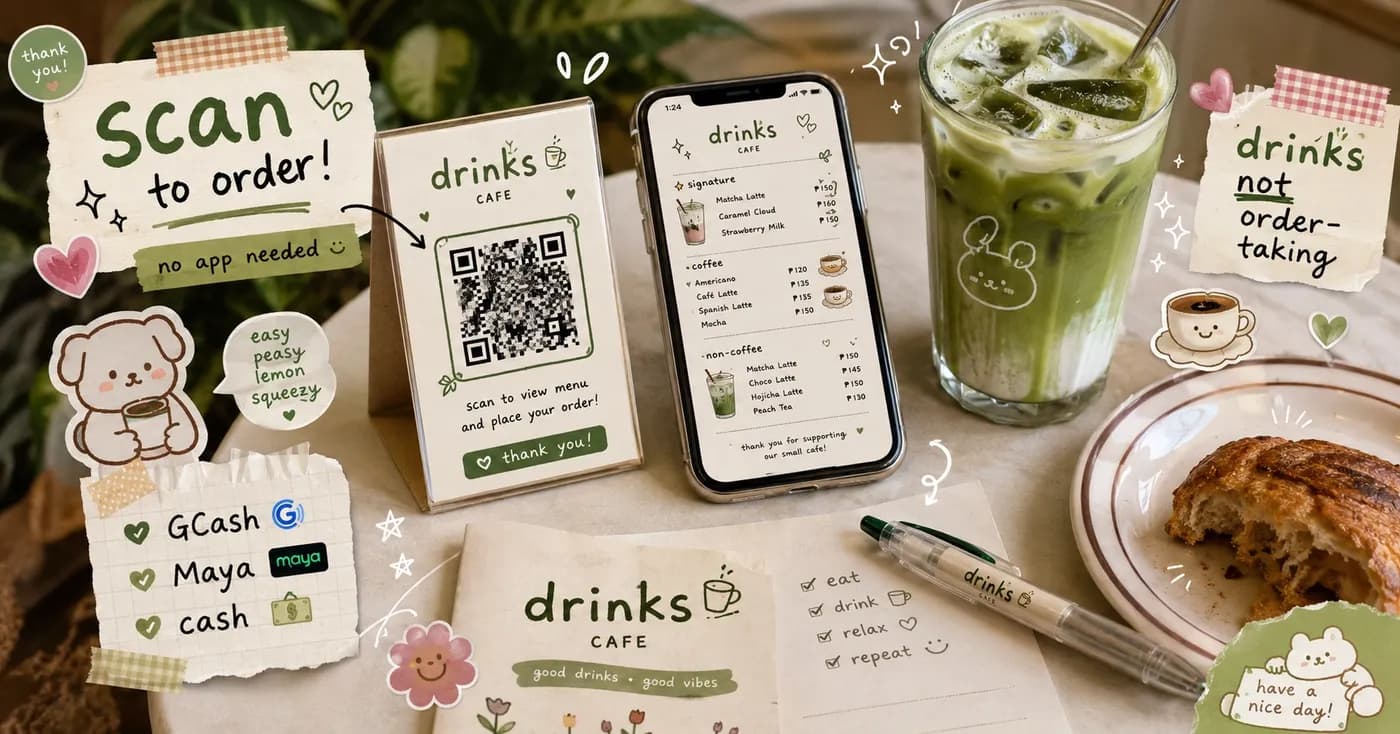
That is the core promise of QR code ordering. A customer scans a QR sticker at the table or counter, the menu opens on their phone, they customize their order, and they pay — all without flagging down a single person. For Philippine cafes and restaurants of any size, it turns the busiest, most error-prone part of service into something quiet and automatic.
How QR ordering actually works at the table
There is no app to download and no account to create just to order. The flow is the same whether you run a 6-seat kiosk or a multi-floor restaurant:
- Scan. The customer points their phone camera at the QR sticker on the table or counter. The menu opens in their browser instantly.
- Browse and customize. They see your full menu with photos, add-ons, and notes — extra shot, less ice, oat milk, no onions — all built into the order, in their own words.
- Order and pay. They check out with GCash, Maya, QRPH, or cash, right from the phone. The order lands on your live orders board the moment it's placed.
No one writes anything down. No one re-keys an order into a POS. The customer becomes the person who enters the order — accurately, because it's their own drink they're describing.
Where the speed actually comes from
Faster service is not magic — it's the removal of three slow steps that happen on every single order in a traditional setup.
No back-and-forth to take the order
In a manual flow, a staff member walks over, waits, writes, repeats it back, walks to the counter, and relays it. With QR ordering, that whole loop disappears. Ten tables can order at the exact same minute without ten staff visits. Your team starts making drinks instead of collecting requests.
No "let me grab the bill" at the end
Because payment happens up front on the phone, there is no waiting for a printed bill, no walking back with change, no second trip for the receipt. Tables turn over faster, which on a busy weekend is the difference between turning a handful more tables and leaving money on the floor.
Fewer wrong orders to remake
A remade drink is the most expensive kind of slow — it costs ingredients, time, and a customer's patience. When the customer types their own customization, "less sweet, no whip" arrives exactly as they meant it. Fewer remakes means the line moves.
How it cuts labor without cutting corners
QR ordering does not mean firing your team — it means freeing them. The staff time spent shuttling orders and handling cash gets redirected to the work that actually makes your cafe good: dialing in the espresso, plating well, and chatting with regulars.
For a small cafe, this often means one person can comfortably run a shift that used to need two. For a busier restaurant, it means your floor staff stop being order-runners and become hosts. During a sudden rush, the system absorbs the spike — there's no human bottleneck at the order point, because there's no single order point anymore.
Built for Philippine cafes, not borrowed from abroad
QR ordering only helps if it fits how Filipinos actually pay and how local cafes actually run. That's the whole point of building this here:
- Real PH payments. GCash, Maya, QRPH, and cash are first-class, not afterthoughts. Customers pay the way they already pay everywhere else.
- No commission per order. You keep your margins — there's no marketplace cut skimmed off every sale.
- No hardware to buy. The QR sticker is the only "equipment." No expensive tablets, no terminals, no installer visit.
- Manage everything from one dashboard. Toggle an item to "sold out" the second the ube runs out, update prices, reply to reviews, and watch orders come in live.
Start small, grow into it
You don't need to redesign your cafe to try this. Print a QR sticker, put it on the counter, and let the next customer order from their phone. You can start on a free tier that covers a light daily flow, then move up to Starter and beyond as your volume grows — month to month, cancel anytime, no lock-in. A loyalty-and-cashback layer and an app for your regulars are there when you're ready for them, but the QR flow works on day one.
The slowest part of running a cafe has always been the order itself. QR ordering hands that step to the people who know their order best — your customers — and gives your team back the time to do everything else well.
Ready to see it on your own counter? Explore what's included for owners on the for-business page, or compare what each plan covers on the pricing page.
Share this article